Quickstart
Your first agent task in five steps.
1. Launch Craig
craigThe boot overlay plays, then Craig's workspace opens.
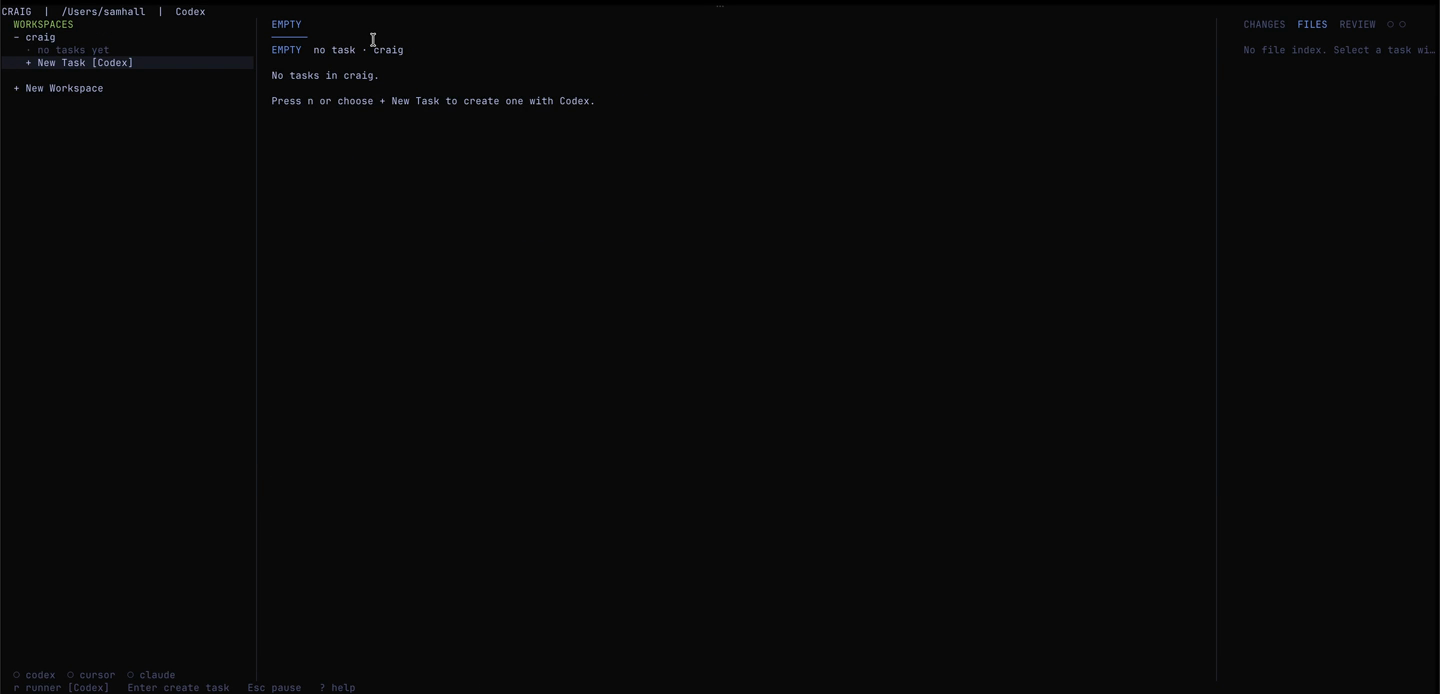
2. Add a repo (first time only)
Select + New Workspace from the left panel, or run:
craig workspace add /path/to/your/repo3. Create a task
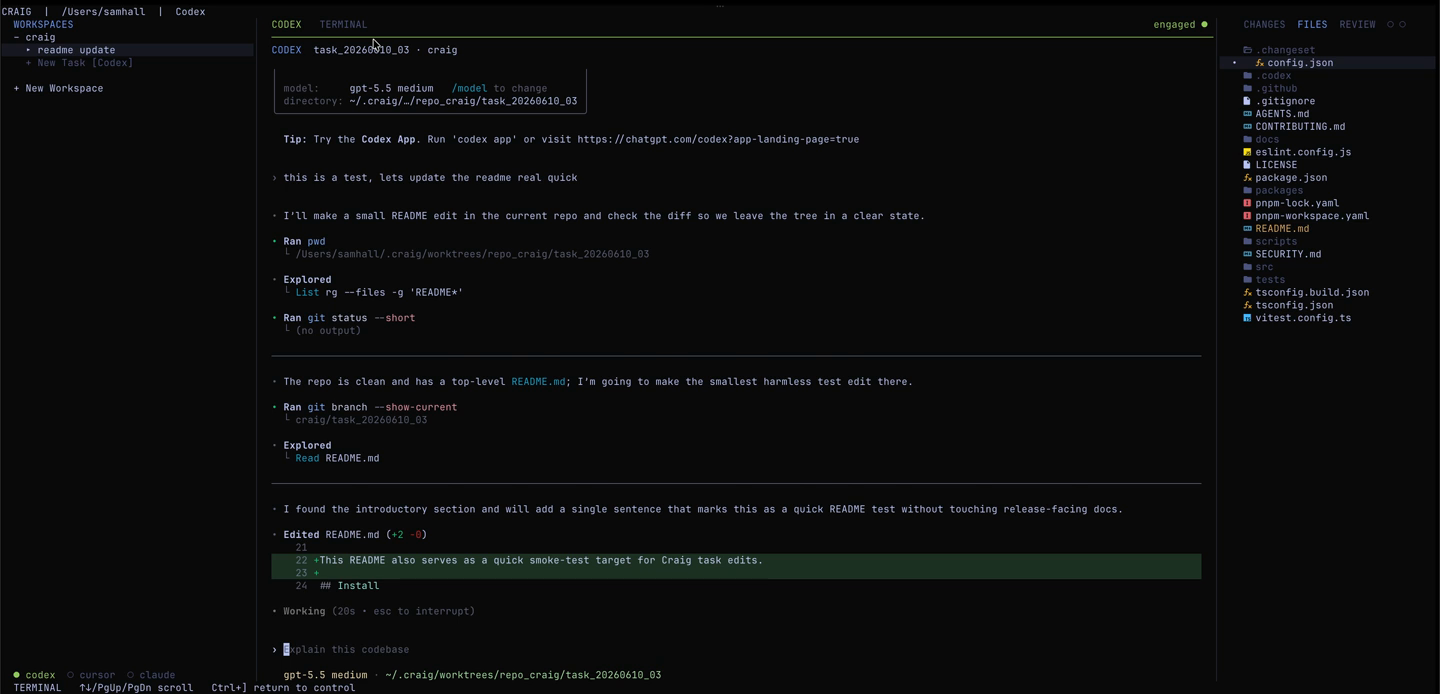
Press n from the TUI, type a short task description, and press Enter. Craig creates a task record, branch, git worktree, and agent tab.
The task text is stored as metadata on the task record — Craig doesn't paste it into the agent. Once the PTY opens, tell the runner what you want it to do.
4. Watch the agent work
Press Enter on the agent tab to attach its live PTY. Press Ctrl+] to return to Craig control mode.
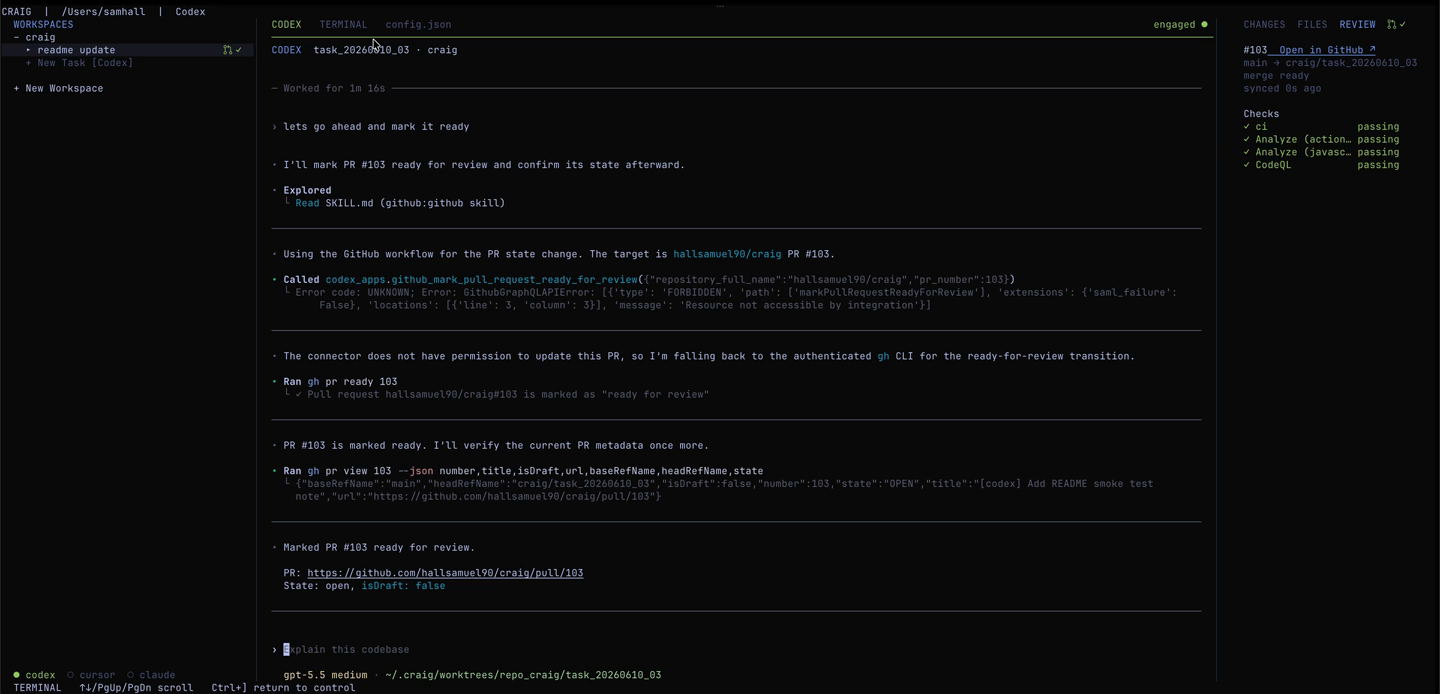
5. Review the work
Use the Changes and Review panels to check the diff and PR status. Review is read-only — when you're ready to commit, push, or merge, do it in the agent PTY.
The CLI has lower-level commands too: craig task check <task-id> and
craig task commit <task-id> if you need them for scripting.
Next: TUI Reference →